

Clients keep emailing documents as usual.
 Team sign in
DOKCHECK BY KRASCORP
Organise emailed documents. Find what is missing. Prepare invoice drafts for approval.
Clients keep emailing your firm. Only your staff need software accounts.
FROM EMAILS TO APPROVED INVOICES
A CALMER WAY TO WORK
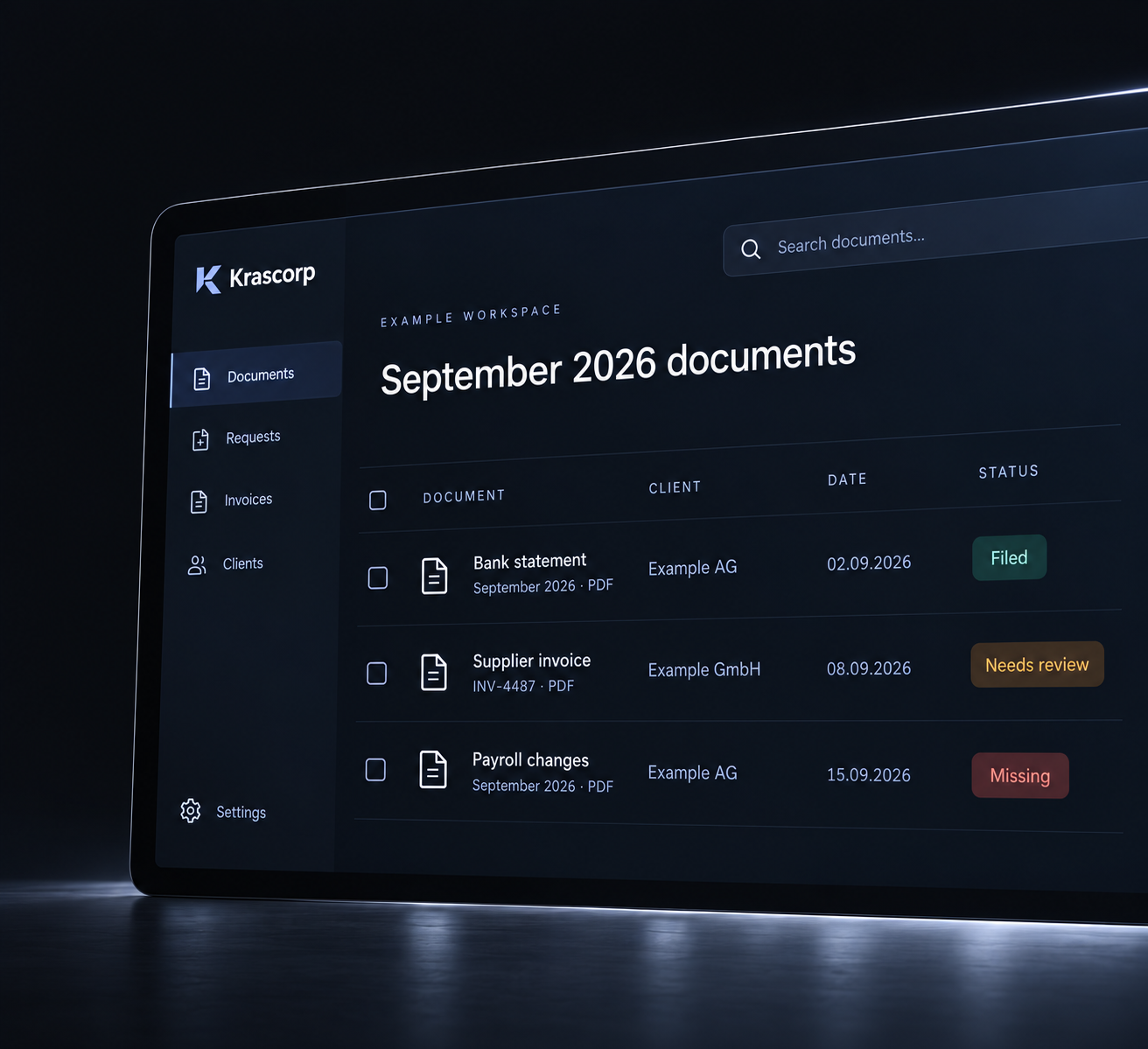
Dokcheck reads your clients’ emails, organises documents, finds what is missing and prepares invoice drafts. Your team reviews and approves.
Clients keep emailing documents as usual.

Dokcheck reads and checks documents against approved requirements.

Clear matches are organised by company and period.

Your staff review uncertain matches, missing items and invoice drafts.
MEET KRASCORP AI
Krascorp AI is automatically available in an active workspace when the connection is ready. Explain a warning, find documents or describe a change in chat; saved actions are shown with their result.
Try the website chat for questions about Dokcheck. For help with your firm’s documents, sign in to your workspace.
 Krascorp AI
EXAMPLE WORKSPACE CONVERSATION
Why is this invoice on hold?
The September bank statement is still missing. Review the document request and the agreed invoice hold before approval.
Illustrative answer with example data. Workspace answers link to the records your team can access.
Get suggestions for the company, document type and period, with unclear matches left for your team to review.
Ask about approved document requirements and search the company archive for supporting records.
Edit client details or document requirements, add attachments and create PDF drafts in chat. Generated drafts are not client evidence. Document security checks and invoice approval remain in place.
In the workspace, Krascorp AI uses the active firm and the selected or clearly named client. Questions about another or unclear client need clarification.
DOCUMENTS AND AGREED INVOICING
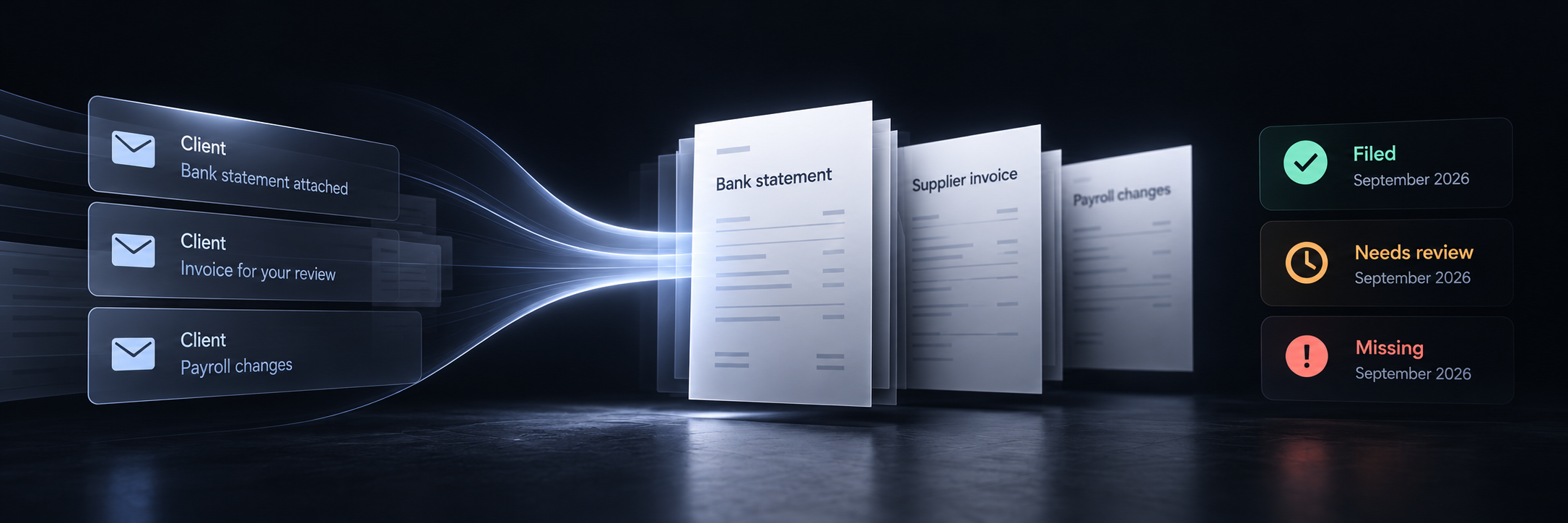
Each company has an archive organised by period. Recurring requirements show what has arrived and what is still needed. Enable automatic requests for newly missing documents; agreed billing schedules prepare invoice drafts for approval.
No work logs or hours are required. Uploaded files awaiting checks or review are not requested again. Document completeness describes the archive; it does not confirm accounting completion.
Open the team workspace →
LESS REPEATED SETUP
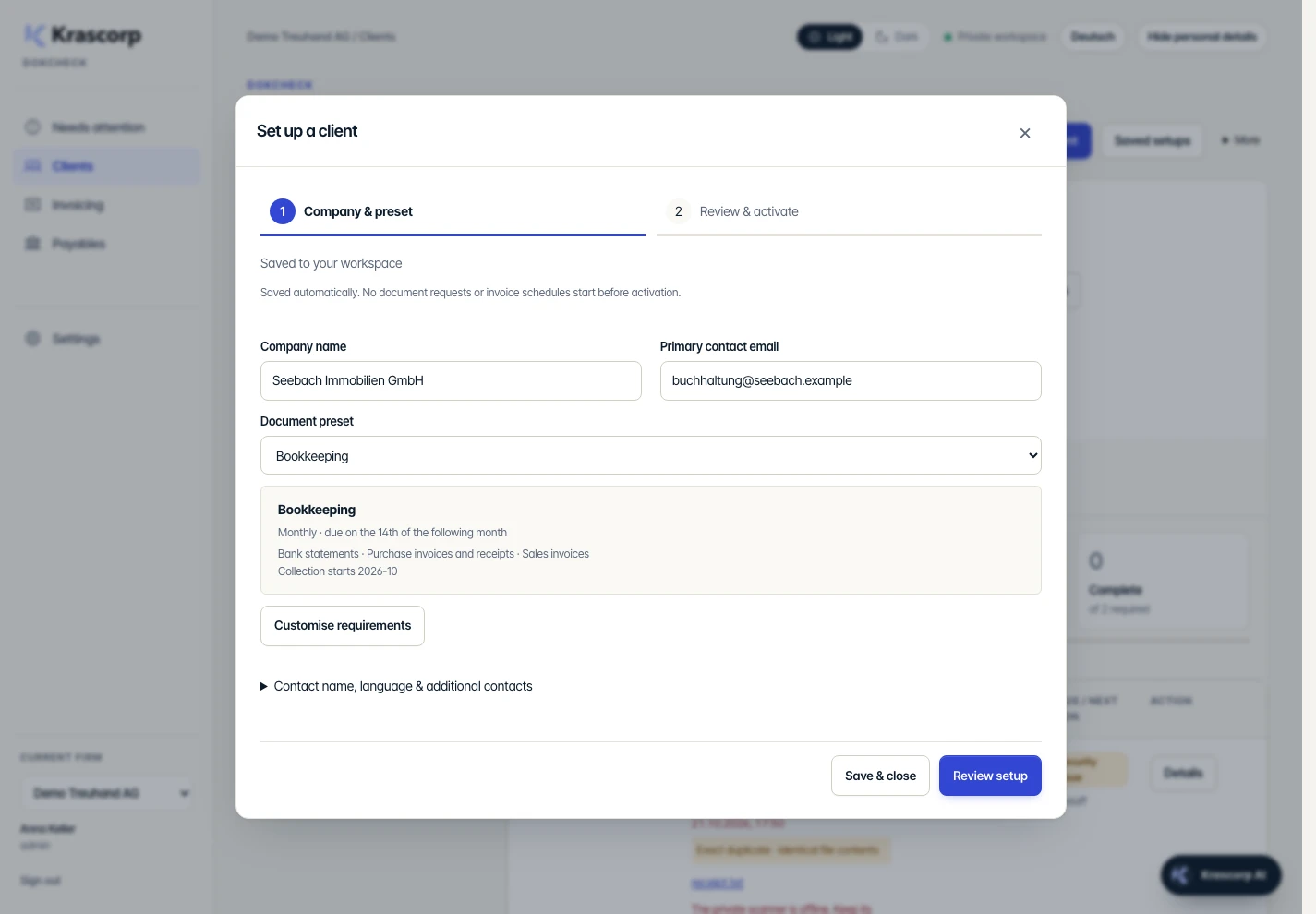
Set the essentials once. Keep detailed dates and optional invoicing out of the way until you need them.
Enter the company and email, apply a saved preset and adjust document requirements only where needed. Import an Excel or CSV client list for larger setups.
Check the requirements and start date, then activate when ready. Drafts save automatically; unfinished setups do not start requests or invoice schedules.
AUTOMATION WITH CLEAR RESPONSIBILITY
Owners choose full edit access, file reading, or the company record only for each team member and client. Full edit access is the default.
Ask Krascorp AI to explain document details, find records or make a clear requested edit to client details and document requirements. Changes use your permissions and stay within the active firm and selected or clearly named client.
Prepare recurring or one-off drafts, reuse editable invoice designs and preview the result. Swiss QR bills need the firm’s verified payment details.
Files awaiting security checks or staff review stay distinct from missing documents. Invoice drafts wait for an authorised approver; document completeness does not mean the accounting is finished.
ROOM FOR YOUR CLIENT BASE
Core, Professional and Premier include the same document workflow and Krascorp AI. Choose the client capacity that fits your firm. Payment comes before account setup.
VAT included
50 clients included
Document organisation, recurring requirements, missing-document emails, agreed-fee invoice drafts and client-specific team access.
Unlimited Krascorp AI · GPT-6 Luna + GPT-6.1 Sol
Review this planVAT included
200 clients included
Document organisation, recurring requirements, missing-document emails, agreed-fee invoice drafts and client-specific team access.
Unlimited Krascorp AI · GPT-6 Luna + GPT-6.1 Sol
Review this planVAT included
500 clients included
Document organisation, recurring requirements, missing-document emails, agreed-fee invoice drafts and client-specific team access.
Unlimited Krascorp AI · GPT-6 Luna + GPT-6.1 Sol
Review this planAutomatic availability and model selection. Owners can pause AI; staff permissions and invoice approval still apply.
CUSTOM
Estimate a plan above 500 clients, then talk with us about your firm’s requirements.
/ month
VAT included
Estimated monthly price
Planning estimate: CHF 299 plus CHF 20 for each additional 100 clients. Final pricing is confirmed in your custom quote.
Request a custom quoteDokcheck subscriptions are supplied by Fibuag AG.
Once online checkout is enabled, payment comes first, followed by the owner’s password setup and team invitations.
Clear controls and processing information for your firm’s data protection assessment.
Original files use a private Cloudflare R2 bucket restricted to the EU. Metadata has a Western Europe location hint. This is not Swiss-only hosting; application, email and AI processing can involve other locations.
HTTPS protects transfers. R2 encrypts stored files. Staff can set up authenticator-based two-factor login; owners can require it. Access is checked by workspace and client.
Automated encrypted backups and isolated recovery checks cover metadata and original-file checksums. Filing, edits and approvals have an audit history. Scanner and document-processing availability are monitored; the current private processor still needs its host online.
Krascorp AI sends relevant permitted records or document pages to OpenAI to read, match and assist. API requests disable response storage. OpenAI does not train on API data by default; abuse-monitoring logs can retain content for up to 30 days, with documented exceptions. Zero retention and Swiss-only AI processing are not promised.
Firms must assess their duties under the Swiss FADP (nDSG) and GDPR where applicable, including outsourcing and international transfers. These controls support that assessment; they are not a compliance certification.
Dokcheck is supplied by Fibuag AG. The downloadable agreement is a review template covering instructions, confidentiality, security, subprocessors, incidents, return and deletion. Processing locations and transfer safeguards must be completed before signature.
Unsigned review template, not an executed agreement. Complete the processing and transfer annexes before using real client data.
BEFORE YOU GET STARTED
No. Clients email your firm; only staff need accounts. The website is available in English, German and Spanish. The app interface currently supports German and English; Spanish and French app interfaces are not available.
Your team defines the requirements and schedule for each client, using editable presets when useful. Krascorp AI can apply a clear staff-requested change within the same client permissions; an unclear request needs clarification.
Company, document and period information can help identify the right archive. The sender address alone is not proof. Ambiguous matches stay for staff review.
Enable requests for the client and review the recipients. A new missing item or a required correction can trigger a request. Files already in checks or review are not requested again.
An agreed fee and billing schedule can generate a draft. You can hold it for required documents. An authorised person must approve it before it is numbered and sent.
Your firm authorises its Microsoft 365 or Google Workspace mailbox. The owner enables document requests when ready. Krascorp AI is automatically available when the workspace connection is ready; staff can also upload saved email attachments. Paid signup is being prepared.
LET’S TALK ABOUT YOUR DOCUMENT FLOW
Tell us how your firm receives documents and which email service it uses. We can discuss the setup and the steps needed before a rollout.